

The Power of Google Reviews: Why Businesses Should Care
“93% of consumers say online reviews impact their buying decisions.” — BrightLocal Survey (2024)
- Trust and credibility via Google review: Google reviews provide social proof, helping new customers feel confident about your business. When potential customers see a steady flow of positive reviews, it builds trust and may nudge them towards making a purchase or contacting you.
- Impact on search rankings and online presence: Google reviews influence your business’s position in Google Maps, local pack results, and overall search engine rankings. Simply put, more genuine reviews mean better visibility in Google search and maps, leading to more leads.
- Attracting new customers with trustworthy social proof: A high volume of 5-star Google reviews gives your business a competitive edge. Potential customers are far more likely to choose a business with a strong online reputation and a history of excellent customer service over one with few or mixed reviews.

Direct Customer Feedback vs Google Reviews: What’s the Difference?
- Benefits of collecting direct customer feedback: When you directly get feedback from customers—such as through surveys or private emails—you glean valuable, actionable insights about their experience. This feedback helps fine-tune your customer service, internal processes, and offerings before issues escalate.
- Role and reach of Google reviews: Unlike private feedback, online Google reviews are public and shape your online reputation. Not only do Google reviews signal trust for potential customers, but they also contribute to your business’s search engine presence, making it easier for people to find and trust your company online.
- Integrating both for comprehensive insight: Combining private feedback with public Google reviews provides a 360-degree view of customer satisfaction. Use internal feedback to address issues promptly and leverage positive experiences by encouraging happy customers to leave a public Google review. This two-pronged approach helps your business grow and builds long-term trust with your audience.

While gathering Google reviews is a powerful way to build trust and attract new customers, it’s also worth considering how customer loyalty initiatives can complement your reputation strategy. For example, implementing small business customer loyalty programmes can encourage repeat business and create more opportunities for positive feedback, both online and offline.
The Capid Houser 7-Step Process: Proven Strategies for Getting More Company Google Reviews
One of the fastest, most effective ways to get more Google reviews is to follow a proven system developed by Capid Houser. Their 7-step process provides actionable steps for driving customer engagement and maximizing your Google review count. Here’s a comprehensive look at each step:
Step 1: Create a Customer List (google review, customers to leave)
- Gathering data and segmenting your audience: Start by creating a list of your customers—recent buyers, loyal patrons, or those who’ve interacted with your business. Use your CRM or sales records to segment customers based on their purchase history or satisfaction levels. This targeted approach ensures you’re sending review requests to the right people.
- Keeping your customer list up-to-date for optimal outreach: Regularly update your customer list to capture new clients and move dissatisfied customers into a feedback category for private follow-up. This makes your outreach for Google reviews more effective and helps you get feedback that can enhance your business.
Step 2: Write the Perfect Request Review Email (google reviews, review card, google review link)
- Crafting compelling messages for customers to leave a review: Personalize your emails to each customer, expressing genuine thanks for their business. A friendly, concise message explaining how much their feedback helps encourages customers to complete a Google review. Use review card graphics to make the email visually appealing.
- Including a direct review link or QR code for simplified access: Always insert a Google review link or a QR code that goes directly to your Google business profile. Making it easy for customers to leave a review—without hunting for your page—dramatically increases response rates.
Step 3: Create a Review Capture Page (review card, review link, online presence)
- Designing an effective review capture page to maximise conversion: Develop a landing page dedicated to collecting customer reviews. This page should feature a prominent review link, eye-catching review card visuals, and clear instructions for leaving a Google review. An easy interface keeps the process stress-free and boosts the number of positive reviews you receive.
- Integrating social media, review card graphics, and clear CTAs: Tie your review capture page into your wider online presence, linking it from your website, email signatures, and social media channels. Use strong calls-to-action (CTAs) and shareable review cards to encourage customers to leave a review across multiple platforms.
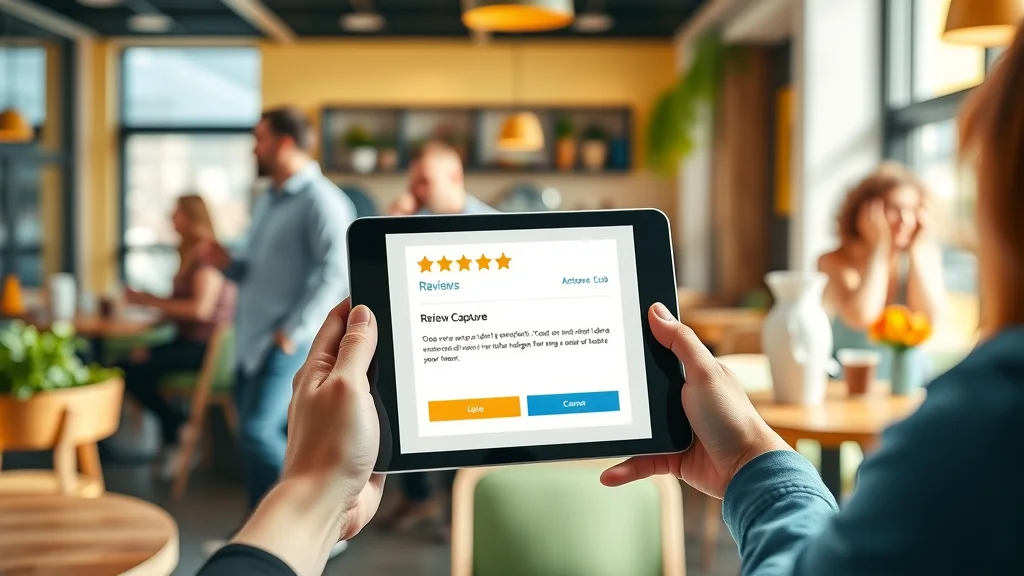
This video walkthrough demonstrates how customers navigate a user-friendly review capture page, select star ratings, and follow an integrated CTA to leave feedback quickly and easily.
Step 4: Write A Response Email (customer service, leave a review)
- Acknowledging customer reviews and feedback: Set up a system to respond to every review left—positive or negative. A prompt, thoughtful response shows that you value customer feedback and are committed to excellent customer service.
- Templates to thank and encourage repeat reviews: Use response templates to thank happy customers and encourage them to spread the word. For negative reviews, always address the feedback constructively, offering to resolve any issues. This not only builds trust but also encourages people to leave feedback in the future.
Learn best practices for responding to negative Google reviews, turning critical feedback into opportunities for service recovery and building trust with potential customers.
Step 5: Build an Email Server (send out emails in batches, online presence)
- Setting up reliable infrastructure: For larger businesses, sending emails in batches requires a dedicated email server or the use of trusted marketing automation platforms. Ensure your infrastructure can handle bulk sends without being flagged as spam.
- Ensuring deliverability and GDPR compliance: Make sure you comply with all email regulations (like GDPR in the UK) and use authenticated domains for maximum deliverability. Protect customer data, keep opt-out options clear, and track your open rates to continually refine your strategy for getting more Google reviews.
Step 6: Send Out Emails in Batches (review link, qr code, link or qr code)
- Timing, frequency, and segmentation strategies: Send review requests at optimal times—shortly after a positive transaction or interaction. Batch emails by customer segment (first-time buyers, repeat customers) to tailor messaging and increase chances for positive reviews.
- Including the direct Google review link or QR code for maximum ease: Every batch email should contain a review link or QR code linked directly to your Google business profile. The easier you make the review process, the more reviews you’ll receive.

Step 7: Analyse Results and Optimise Your Approach (google business, review analytics, social media)
- Tracking review volume and sentiment: Regularly monitor your Google reviews for volume, content, and sentiment. Tools like Google My Business Insights or third-party analytics platforms can provide in-depth data on review trends and customer sentiment.
- Using feedback to refine outreach and customer service: Analyse which approaches yield the highest positive review rates and adjust your outreach accordingly. Address recurring feedback themes to improve customer service and share success stories on your website and social media, further enhancing your online presence.

Step 8: Rinse, Repeat, and Scale—Ongoing Strategies for Getting More Company Google Reviews
- Ongoing review generation efforts: Consistency is key. Continue to encourage every customer to leave feedback and leave a review after each interaction. Make use of review card handouts, QR codes in-store and online, and regular email campaigns to keep reviews flowing steadily.
- Scaling your process for long-term success: As your business grows, automate your review generation systems where possible. Integrate your email outreach, review capture pages, and feedback monitoring with your CRM and marketing platforms for seamless operation. With consistent efforts and continual optimization, you will drive a steady stream of positive reviews and maintain a strong Google business profile over time.
Table: Comparing Direct Customer Feedback vs Google Reviews vs Review Sites
| Feedback Method | Pros | Cons |
|---|---|---|
| Direct Feedback | Actionable, private | Not publicly visible |
| Google Reviews | Public, SEO benefits | Less detailed, spam risk |
| Third-party Review Sites | Adds credibility, variety | May have lower volume |
Popular Tools and Resources for Boosting Google Reviews
- Automated email/SMS tools – streamline and personalize review requests for higher response rates.
- QR code generators – create custom QR codes linking directly to your Google review page or review capture page for both print and online use.
- Google Business Profile Manager – manage reviews, respond to feedback, and update your business information for a more impactful online presence.
- Social media integration for reviews – encourage followers to leave a review via strategic social media posts, profile links, or story highlights.
People Also Ask: Strategies for Getting More Company Google Reviews FAQ
How to get more Google reviews for a business?
- Implement the strategies for getting more company Google reviews shared above, focusing on targeted outreach, simple review processes, and consistent follow-up.
- Always make your review links easily accessible—include them in emails, on your website, and via QR code at checkout points.
- Encourage every customer to leave a review at multiple touchpoints, reinforcing the value their feedback brings to your business.
Is review boosting illegal?
- Yes, review boosting (posting fake or incentivized reviews) violates Google’s guidelines and can result in penalties or removal of your business from Google search.
- Focus only on authentic, voluntary customer reviews for your Google business and public profiles to build genuine, long-term online reputation.
How to get 4.9 on Google reviews?
- Deliver exceptional customer service and memorable experiences to every customer.
- Use the Capid Houser 7-step process to request honest feedback from happy customers soon after each transaction.
- Respond promptly and constructively to all reviews, using each as an opportunity to improve and show current and potential customers you care.
How to get lots of 5-star Google reviews?
- Consistently deliver high-quality products and customer service, which naturally results in more positive feedback and 5-star reviews.
- Make leaving a review simple—use review card signage, QR codes, and direct links in emails, SMS, and social media.
- Don’t forget to regularly follow up with satisfied customers, gently reminding them to share their experience through a Google review.
Key Takeaways: Best Strategies for Getting More Company Google Reviews
- Google reviews drive your online presence and play a critical role in consumer purchasing decisions.
- Capid Houser’s 7-step process is an actionable, repeatable strategy for generating more reviews—and more trust—fast.
- Combine direct internal feedback with public Google reviews for a comprehensive view of customer satisfaction and company growth.
Further Resources and Next Steps
- Discover Capid Houser’s detailed 7-step guide to building more Google reviews for your business.
- Explore advanced tools for review management and analytics to keep your strategy sharp.
- To learn more about strategies for getting more company Google reviews, visit Capid Houser’s dedicated resource.
Ready to boost your online reputation? Click here to learn more about strategies for getting more company Google reviews fast and start implementing Capid Houser’s step-by-step process today!
If you’re eager to take your customer engagement and reputation management even further, consider exploring how loyalty programmes can work hand-in-hand with your review strategy. By building a loyal customer base, you not only increase the likelihood of receiving glowing Google reviews but also foster long-term relationships that drive repeat business. For a deeper dive into creating effective loyalty initiatives that support your digital marketing goals, check out Capid Houser’s insights on small business customer loyalty programmes. This resource offers practical ideas to help you reward your best customers and keep your business top-of-mind in a competitive market.
Sources
- BrightLocal Local Consumer Review Survey 2024
- Google Business Reviews Policy
- Capid Houser: 7 Steps to Getting 5-Star Reviews
To enhance your company’s online reputation and attract more customers, implementing effective strategies to increase Google reviews is essential. Here are some proven methods:
1. Simplify the Review Process
Make it easy for customers to leave reviews by providing direct links or QR codes that lead straight to your Google review page. Including these in emails, receipts, and business cards can significantly increase the likelihood of receiving feedback. (bluehatmarketing.com)
2. Personalize Review Requests
After a positive interaction, send personalized emails or messages thanking customers and kindly requesting a review. Personalization shows appreciation and can lead to higher response rates. (elfsight.com)
3. Leverage Social Media Platforms
Share positive reviews on your social media channels and encourage followers to share their experiences. This not only showcases customer satisfaction but also prompts others to leave their own reviews. (trustanalytica.org)
4. Optimize Your Google Business Profile
Ensure your Google Business Profile is complete and up-to-date with accurate information, engaging photos, and regular updates. An optimized profile builds credibility and encourages more reviews. (bluehatmarketing.com)
5. Respond to All Reviews
Engage with customers by responding to all reviews, both positive and negative. This demonstrates that you value feedback and are committed to improving customer experience. (wordstream.com)
6. Avoid Incentivizing Reviews
Offering incentives for reviews can violate Google’s policies and may lead to penalties. Focus on providing excellent service that naturally encourages customers to share their experiences. (sitestarter.co)
By implementing these strategies, you can effectively increase the number of Google reviews for your company, enhancing your online presence and building trust with potential customers.
